Vellum Lasts 500 Years. My 8,000 DVDs Didn’t.
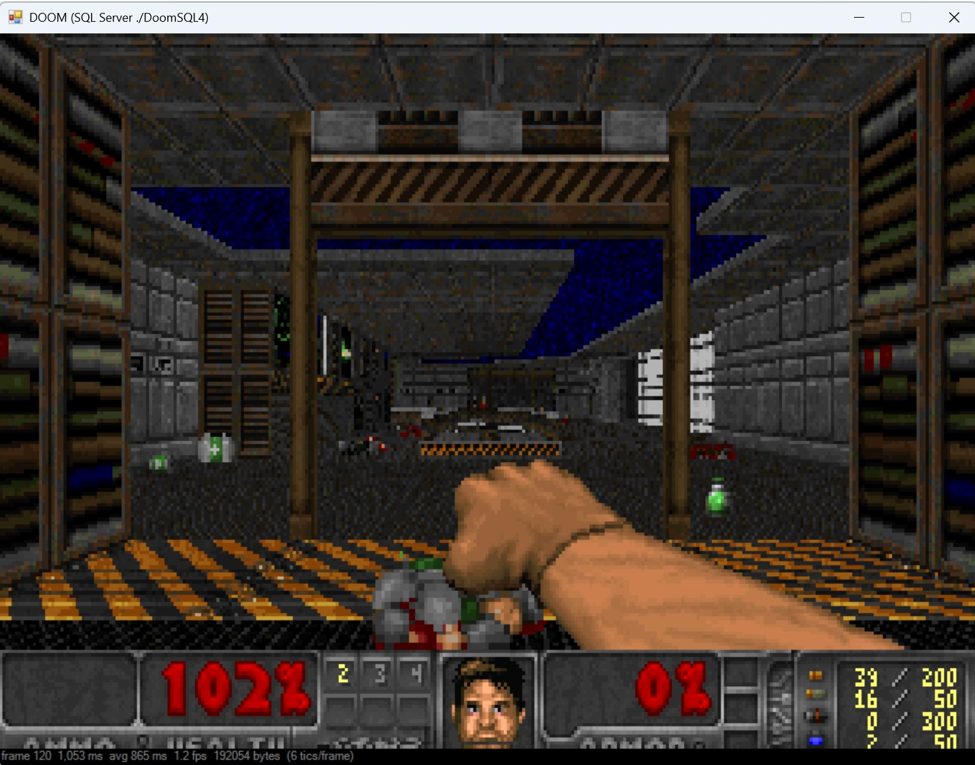
I built a 3D Navigator in SQL Server to allow a virtual walk around your data.
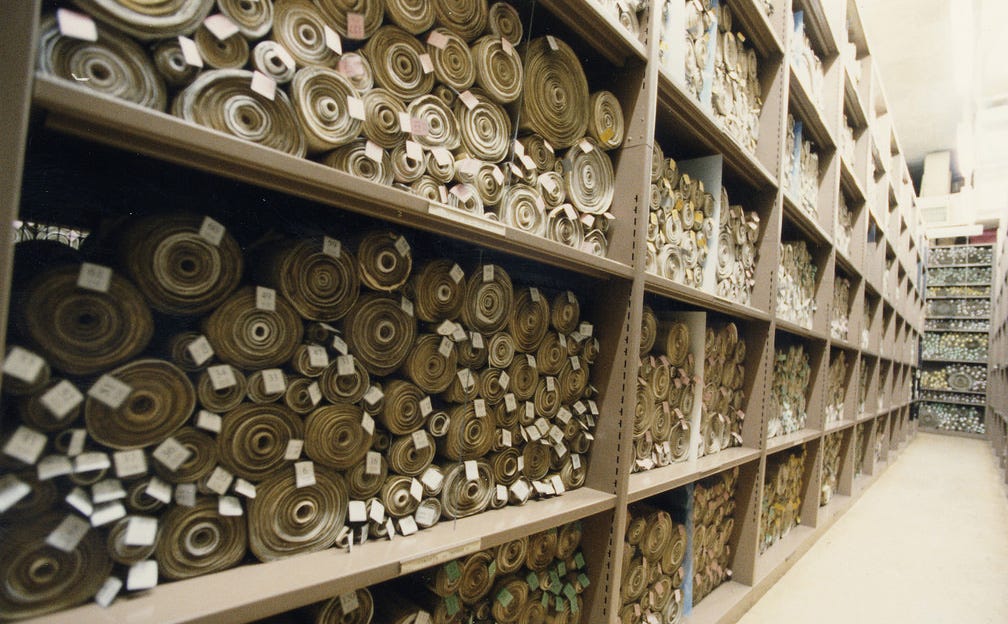
*I have around 80 terabytes accumulated over thirty years. I have managed to index roughly a fifth of it. Keeping it all was the easy part.*
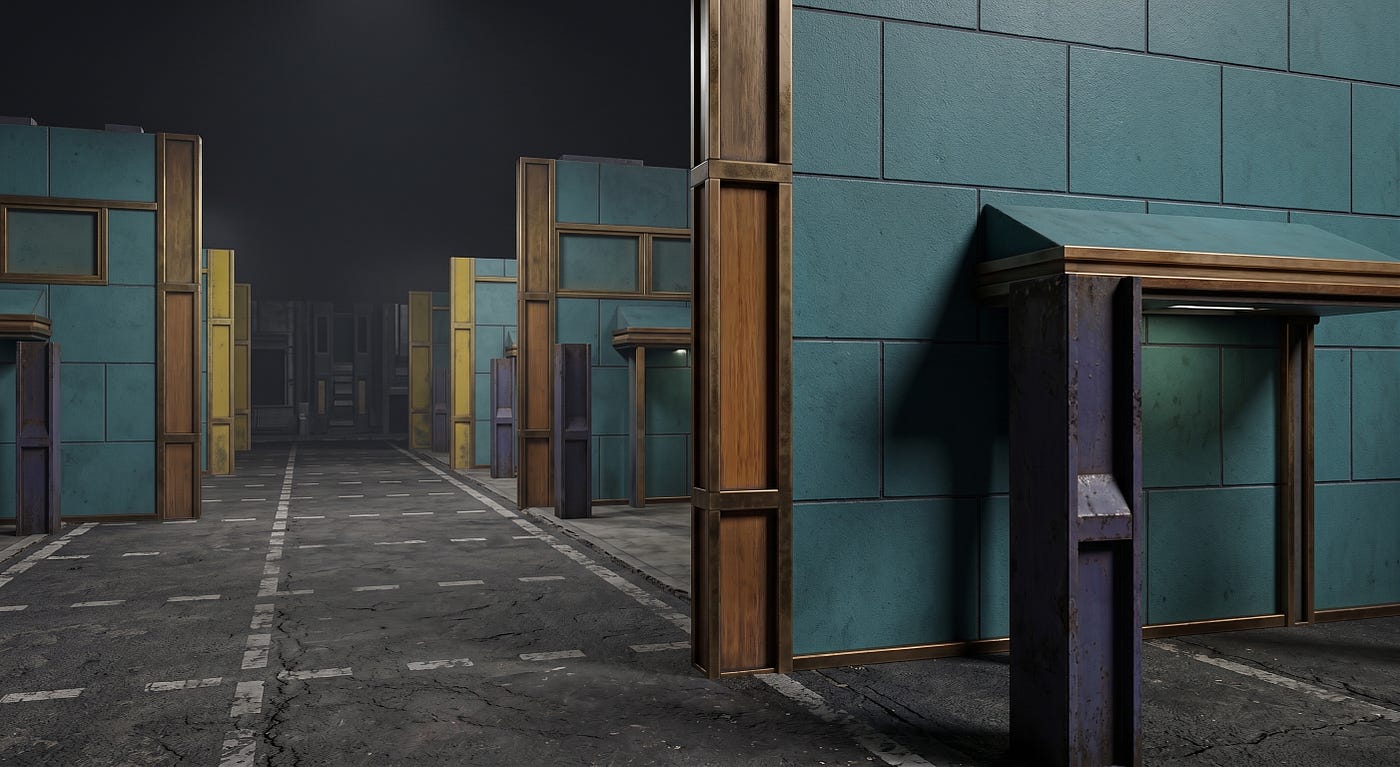 A corridor rendered from a filesystem
Ask someone for a cassette player because you need to read an important document you stored on one, and watch their face.
I had eight thousand DVDs. At the time that felt like permanence — physical, indexed, sitting on shelves. Then Blu-ray, then nothing, and now a stack of discs I have no confident way to read and no realistic way to search. Before that it was tape. Before that, floppies I dutifully copied forward for years until I stopped.
Meanwhile there are documents in British archives written on vellum in the eleventh century that you can walk up to and read today. No reader required. No format migration. No driver. The Domesday Book is nearly a thousand years old and its retrieval technology is *eyes*.
That contrast has bothered me for a long time, and I think most people take the wrong lesson from it. The usual conclusion is that we need better media — longer-lived discs, archival film, quartz glass. And that’s a real field with real progress in it. But it isn’t the thing that has actually cost me.
What’s actually cost me is that I *have* the data and cannot see it.
## Thirty years of keeping everything
I’ve saved almost everything since the mid-nineties. I’ve also lost nearly all of it several times over — drive failures, migrations, one memorable act of self-sabotage. Each time I had backups. Each time the backups turned out to be less restorable than I’d assumed. What survived, survived by accident and duplication rather than by strategy.
The current state of that thirty-year sediment is roughly **80 TB** — two main machines plus a shelf of external drives holding whatever was current when I last migrated. I have no complete inventory of it. I’m not sure a complete inventory is even possible without a month of downtime.
What I *have* indexed is the creative-work portion: the drives holding my Unreal Engine, Unity and Blender projects.
- **11,217,469 files**
- **14.78 TB** across four drives
- **2,057,943 directories**
That’s the well-behaved fifth. The part I actually curate, actively use, and would have said I knew my way around. The other sixty-odd terabytes are worse in every respect.
And that’s the uncomfortable bit. This isn’t a landfill I’d neglected. This is the good stuff.
And here’s the thing that finally pushed me into building something: I have no way to look at it. Not “no convenient way” — no way at all. My actual tool for understanding my own storage is [WizTree](https://diskanalyzer.com/), which is excellent at what it does and what it does is show me a treemap of *sizes*. It tells me that 400 GB is sitting in a folder. It cannot tell me what any of it is.
Explorer is worse. Search indexes filenames. Nothing tells me *this is a car model, and so are these six hundred others, and four of them are the same car*.
The information is preserved. It is completely unnavigable. As far as actually using it goes, that’s the same as having lost it — just more expensive.
## Preservation is a solved-ish problem. Comprehension isn’t.
There’s a whole discipline of digital preservation, and its practitioners worked this out decades ago. The threat to a digital archive isn’t usually the medium rotting. It’s that the *reader* disappears — the drive, the codec, the application, the person who knew what the folder structure meant. Media obsolescence outpaces media decay by a wide margin. The standard defence isn’t a magic disc, it’s boring and effective: open formats, many copies, and migrating everything forward on a schedule, forever.
But even that only guarantees the bytes survive. It says nothing about whether you can *find* anything, or whether you’d recognise it if you did. A perfectly preserved archive that nobody can navigate is a very well-maintained landfill.
That’s the problem I actually wanted to solve. Not “will this survive?” but “given that it survived, how do I stand in it and look around?”
## Two half-finished projects
I’d been circling this from two directions without noticing they were the same direction.
**The first** was a Blender add-on. I wanted to browse my 3D work — Unreal Engine, Unity and Blender projects — the way you’d browse an OLAP cube: pivot it, slice it, drill down. So I wrote a fast filesystem scanner that catalogues everything into a local database, detects project roots by their marker files, and derives dimensions from what it finds — drive, path hierarchy, file type, calendar.
Then I added the part that mattered: a **semantic layer**. Rather than only recording that a folder exists, it parses project names, paths and READMEs into *facets* — what a project depicts, what kind of asset it is, what genre it belongs to. Not “e:\\_Vehicles\\Vehicle_Red_Mustang” but *vehicle, car, racing*. Geography and style are modelled as “depicts” facets rather than literal locations, so a desert canyon asset lives under `Natural > Arid > Desert` regardless of which folder it happens to sit in.
That scan produced 4,546 detected projects out of the 11.2 million scanned files, with around 11,000 facet assertions describing them.
**The second** was, I’ll admit, a stunt. I’d been building increasingly unreasonable things inside SQL Server — a ray tracer, a Turing machine, eventually a playable renderer — mostly to find out how far T-SQL could be pushed as an expressive medium rather than a query language.
The stunt gave me a renderer. The add-on gave me a semantically tagged map of my entire storage. It took me embarrassingly long to notice that the second thing was a *world description* and the first thing could *walk around in it*.
## Standing inside your own hard drive
So the two got welded together. The cube feeds a compiler that turns projects into architecture, and SQL Server renders it in first person.
The mapping is deliberately literal, and every surface is a fact:
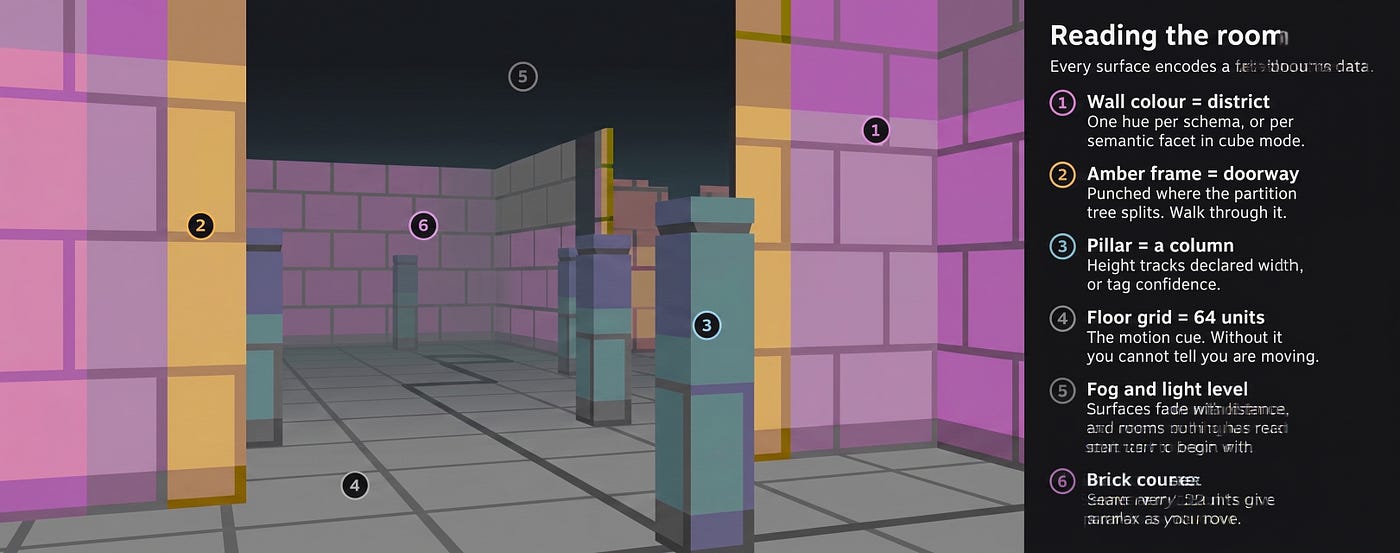 What each colour and object represents
| you see                   | it means                                    |
|                           |                                             |
| room size                 | bytes on disk                               |
| ceiling height            | file count, log scaled                      |
| wall colour               | which semantic district you're standing in  |
| darkness                  | nothing has touched this in a long time     |
| amber doorframe           | a doorway into an adjacent project          |
| steel pillars             | the tags that classify this project         |
| a pit instead of a floor  | untagged - the classifier couldn't reach it |
| floor plate underfoot     | an asset this project shares with another   |
The result for my corpus: **4,546 rooms in 70 districts**, 75,595 wall segments, 6,783 doorways, and 3,707 floor plates, laid out across a world just under 15,000 units across.
Districts are the part that turns it from a visualisation into a place. Group by semantic facet and you get a vehicle quarter with several hundred rooms in it, a cyberpunk quarter, a large dark region of things nothing has opened in two years. You don’t query for those. You walk round a corner and there they are.
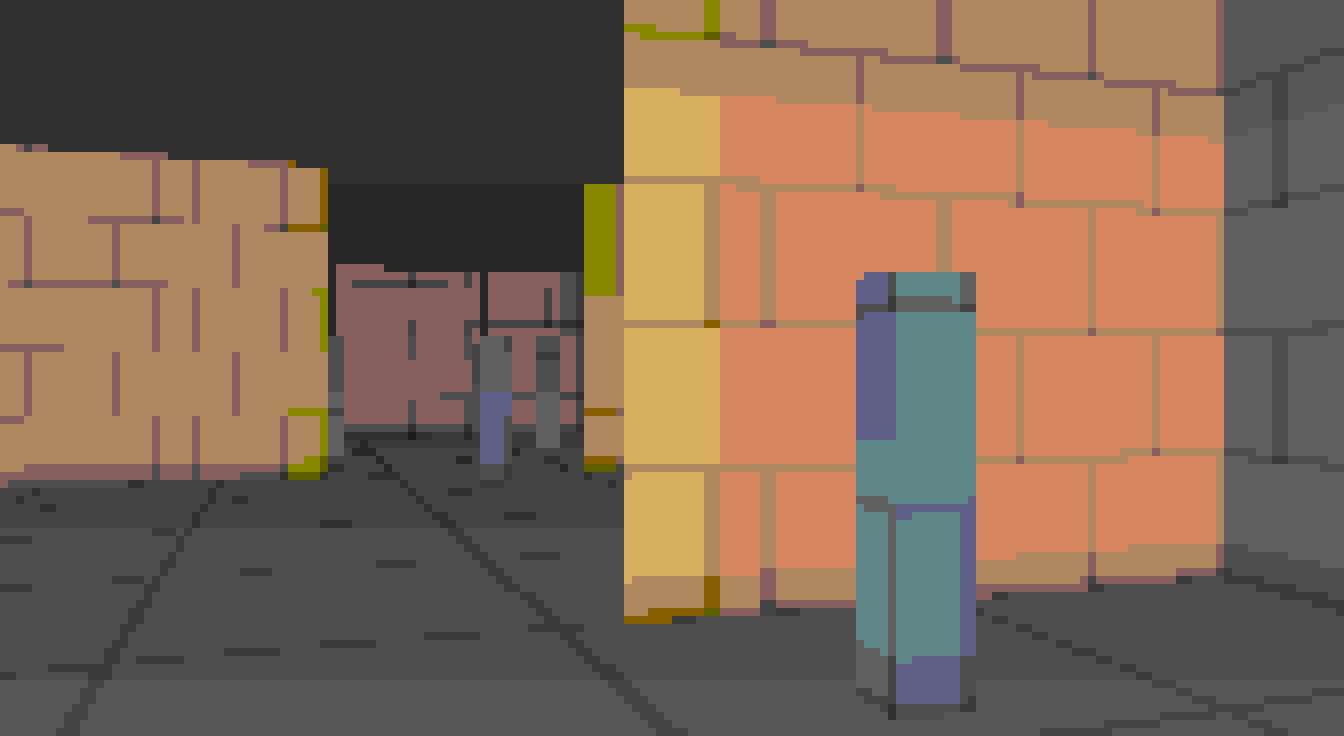 Crossing into a different district
## It’s also a text adventure
A rendered view can’t tell you a row count, so every frame ships prose alongside the picture:
- [vehicle].[UltimateCarRacingProject] 38,114 files 11.4 GB 4 tags 2,207 folders
exits: N [vehicle].[DestructibleVehicles5.7] SW [game].[LyraStarterGame]
* shares 107 files (11.4 GB) with [demo].[CitySample]
And you can talk to it. What you type compiles into a predicate, and the matching rows become beacons visible through walls, with a bearing and a distance:
/where is CitySample
/show me the biggest
/what's unused
/heaps
Those beacons are the thing that makes fifteen terabytes tractable. You ask a question, and the answer becomes a direction you can walk in.
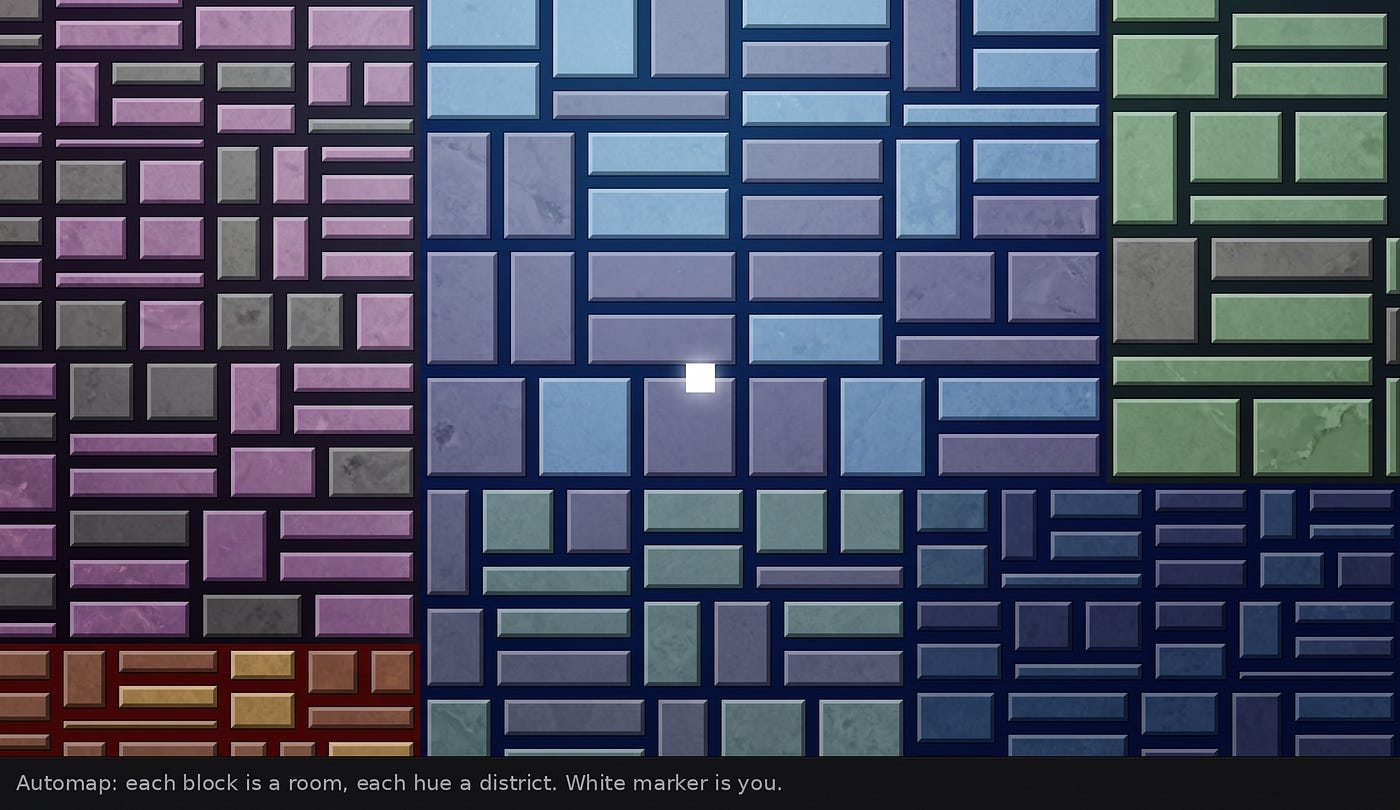 The automap
## What it told me that a query wouldn’t have
Two things, and neither was what I built it to find.
**The duplication is worse than I thought, and more interesting.** The floor plates connect projects sharing substantial files. Standing in one project and seeing four plates underfoot — 107 files here, 88 there, 11 GB in one case — is a very different experience from a duplicate-file report. A report gives you a list to feel guilty about. The plates tell you *which of your projects are secretly the same project*, which is information about how you actually work.
**My classifier has holes I couldn’t see.** Ask for `/heaps` and every untagged project lights up. Most were exactly what you’d expect: `_zips2`, `_MegaDownloads`, folders called `Documents2` — genuine landfill, correctly unclassified. But scattered among them were real projects with perfectly descriptive names the tokeniser simply wasn’t catching. I went in to look at the graphics and came out with a to-do list for the tagging vocabulary.
That’s the argument for the whole approach, really. Both of those were sitting in the database the entire time. I’d never have thought to ask for either.
## This isn’t only for filesystems
One file in the system knows where the data came from. Everything after it — layout, rendering, navigation, the query language — works from a normalised table of *rooms* and *links between rooms*. Replace the harvester and nothing downstream notices.
I built the first version against **AdventureWorks2025**, because a known schema makes it obvious when the geometry is wrong: tables as rooms, foreign keys as floor plates, heaps as rooms with no floor. It works, and at 71 tables it’s honestly pointless — you’d read the diagram faster.
But the same engine would walk a purchase order system, where you’d step from an order into the customer who placed it and out into every other order they’ve made. Or a document archive. Or a photo library. Anything with entities and relationships between them has a floor plan hiding in it.
## Running it
Seven SQL scripts, a PowerShell client, two Python bridges.
| file              | what it does                                               |
|                   |                                                            |
| `01_schema.sql`   | tables, tunables, the intent grammar                       |
| `02_harvest.sql`  | database catalog harvester                                 |
| `03_layout.sql`   | the map compiler - partition, walls, doors, pillars, plates|
| `04_render.sql`   | raycaster, colour ramps, status line, automap              |
| `05_navigate.sql` | movement, collision, the command parser                    |
| `06_cube.sql`     | filesystem-cube staging and harvester                      |
| `07_perf.sql`     | spatial index for room lookups                             |
| `schemawalk.ps1`  | the client                                                 |
| `inspect_cube.py` |                                                            |
| `export_cube.py`  | the bridge from the scanner's database                     |
Install into any database — it doesn’t need to be the one you’re walking:
sqlcmd -S . -d SQLWORLD -C -i 01_schema.sql
sqlcmd -S . -d SQLWORLD -C -i 02_harvest.sql
sqlcmd -S . -d SQLWORLD -C -i 03_layout.sql
sqlcmd -S . -d SQLWORLD -C -i 04_render.sql
sqlcmd -S . -d SQLWORLD -C -i 05_navigate.sql
sqlcmd -S . -d SQLWORLD -C -i 07_perf.sql
To walk a database:
EXEC nav.usp_Build @source_db = 'AdventureWorks2025';
EXEC nav.usp_Verify;
To walk a filesystem, add the cube staging and bridge the scanner’s output across:
sqlcmd -S . -d SQLWORLD -C -i 06_cube.sql
python inspect_cube.py D:\_AssetOLAP\data\asset_cube_v4.db
python export_cube.py D:\_AssetOLAP\data\asset_cube_v4.db -o cube_load.sql
sqlcmd -S . -d SQLWORLD -C -i cube_load.sql -f 65001
EXEC nav.usp_BuildCube @district_by = 'facet';
EXEC nav.usp_Verify;Then walk in:
.\schemawalk.ps1 -Server . -Database SQLWORLD`w a s d` to move,
`q e` to turn,
`f` to follow the plate under your feet,
`m` for the map,
`/` to say something.
`@district_by` decides what the quarters of the city are
`facet` groups by what projects contain,
`engine` by Unreal versus Blender versus Unity,
`drive` by physical volume. Same data, three completely different cities.
It runs at 70 to 120 frames per second on the full 4,546-room world, with the entire pipeline — visibility, projection, shading, string assembly — inside SQL Server. The client only forwards keystrokes.
## Back to the vellum
I don’t think my problem was ever storage. I have the bytes. I have had the bytes, in some form, for thirty years, through several catastrophes and a lot of media formats that no longer exist.
What I didn’t have was any way to stand in the middle of it and understand what I was looking at. And I suspect that’s the real archival problem for most people now. We solved *keeping*. We did not solve *comprehending*, and the gap between the two widens every year that storage gets cheaper.
Vellum’s advantage was never really its longevity. It was that the reader and the medium were the same thing: you look at it, and you have it. Everything since has separated the two, and every layer we’ve added between the bytes and the understanding is another thing that can go obsolete.
I can’t do much about that. But I can make a fifth of it into somewhere I can walk, look around, and notice something. The other sixty terabytes are next.
— -
*Built with SQL Server, T-SQL, a filesystem scanner, and thirty years of not deleting anything.*