Relational Space Carving in SQL Server using My Head
When you have spent 30 years designing relational databases and enforcing strict transactional integrity, there is something deeply satisfying about completely abusing the SQL engine to do exactly what it was never designed for.
Here is the complete documentation of how you can turn SQL Server into a crude 3D photogrammetry engine, taking a flat image, mathematically carving it in a database, and outputting a watertight mesh ready for the 3D printer.
Project: Relational Space Carving in SQL Server
The Goal: Generate a 3D point cloud (.obj) of a human head natively within SQL Server using a 4-panel orthographic reference image, and process that raw data into a physical mesh.
Step 1: The 2D Proof of Concept
Before calculating Z-depth, the database needed to prove it could accurately shred a binary file and map spatial coordinates. We loaded an uncompressed 24-bit/32-bit BMP into memory using OPENROWSET, shredded the binary string using an inline Tally Table to avoid WHILE loops, and mapped the RGB luminance values to an ASCII gradient.
 A 2D rendering of my Head, Obviously Front View
By inverting the gradient and compensating for the byte-stride of a 32-bit image, the database successfully rendered a 2D heightmap directly in the SSMS query results window.
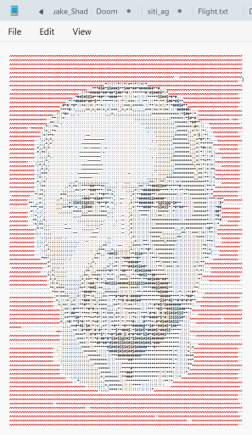 The inverted 2D ASCII render perfectly* mapped in SSMS text results exported to Notepad
When I say perfectly rendered my head, I mean I nearly lost it and abandoned the entire project at this point. The first time I ran it I got a very lopsided view of my neck. When I realised I had to zoom out quite a bit I did sort of see my head.
I then inverted the image and then saw my head but still lopsided.
Eventually I realised I was looking at a 32-bit image; a 24-bit image looks at RED, GREEN and BLUE at 8-bits each. A 32-bit image looks at RED, GREEN and BLUE and an 8-bit alpha channel for transparency ! That is when it all appeared.
I then did the same and rendered this image which is the input into the next section.
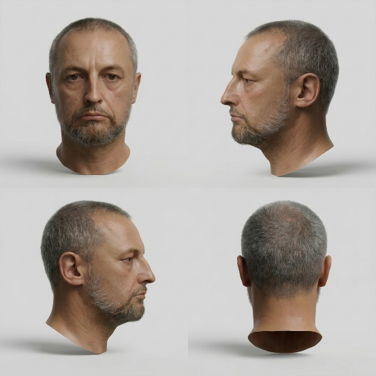 The Four Renders (Front, Left. Right and Back)
I would smile more but if you ever want to animate your head it is important to maintain a “no expression” look, also I have a huge scar on the back of my actual head and because it is really tough taking a picture of the back of your head this is a stunt rear head
Step 2: The 3D Space Carving Architecture
To generate 3D geometry, we utilized a technique called Visual Hull Intersection (Space Carving).
The query reads the top-left quadrant of the image as the Front Profile (X, Y) and the top-right quadrant as the Side Profile (Z, Y). By setting a luminance threshold of 150, we mathematically erased the grey studio background. I had issues at this point with my maths and ended up just resorting to using the top two views.
The core engine is a strict INNER JOIN on the Y (height) axis. If a voxel is solid from the front view and solid from the side view on the exact same row, it survives. If not, it is carved away.
Early tests using a massive @Skip = 8 downsampling variable resulted in severe mathematical artifacts, including the “Cartesian explosion” when the background threshold was too high, and heavy horizontal terracing when the gaps between the evaluated rows were too wide.
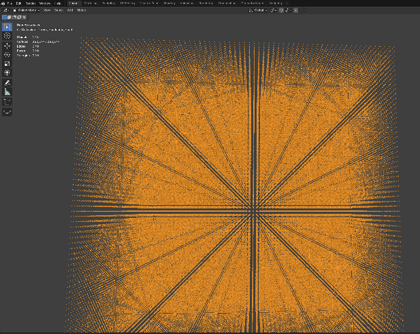 The Cartesian explosion showing Moiré interference patterns
To eliminate the stepping artifacts, we dropped the downsampling to a 1:1 pixel resolution (@Skip = 1).
Because evaluating millions of pixels via CTEs would cause the query optimizer to spool endlessly, the architecture was shifted to physical temporary tables. By inserting the front and side coordinates into #TempFront and #TempSide, and applying a Clustered Index to the Y axis on both, we forced SQL Server to execute a lightning-fast Merge Join.
The Final SQL Script
Step 4: Skinning the Data in Blender
Because SQL only writes vertices (points in space), the raw import into Blender appears as a solid black shadow. The geometry has no faces, so light cannot react to it.
To convert this raw data into a manifold mesh, we bypass manual topology and use Geometry Nodes:
- Assign a Points to Volume node to the geometry, tuning the Radius up until the individual point spheres bridge the gaps between the coordinates.
- Pipe that volume directly into a Volume to Mesh node.
When this is executed on the 1:1 high-resolution SQL export, the severe terracing disappears, resulting in an incredibly dense, solid silhouette.
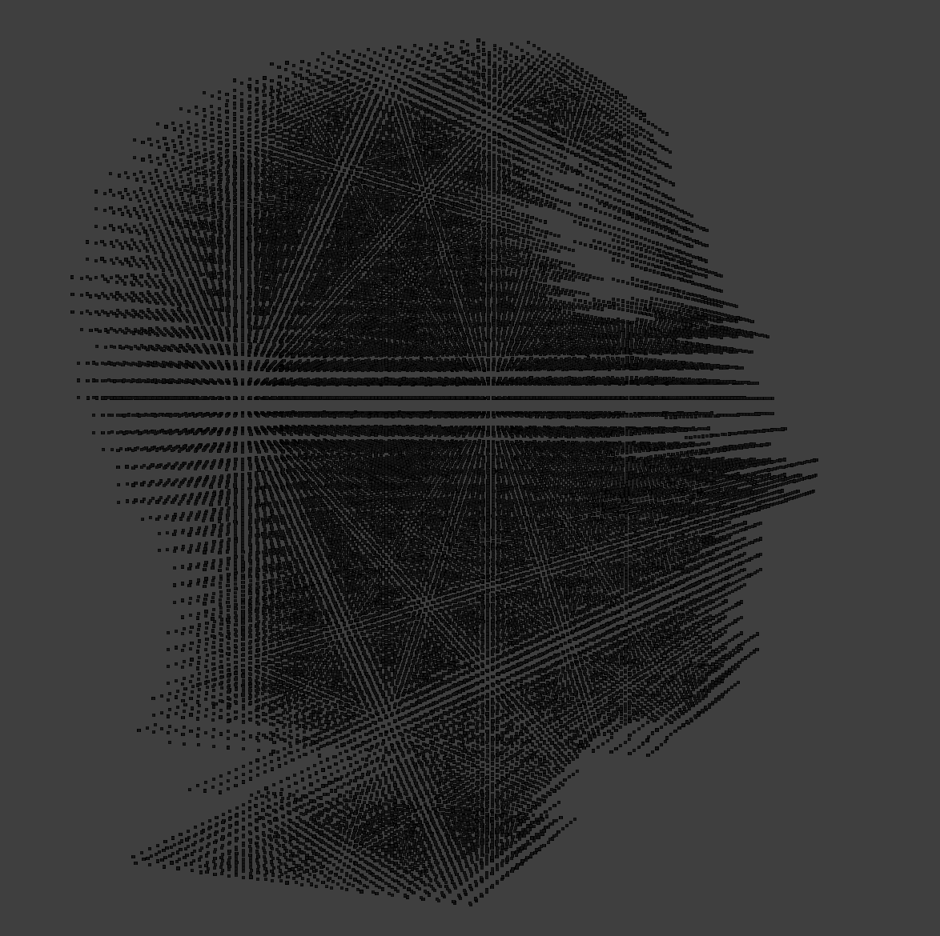 The high-resolution 1:1 mesh output from the Geometry Nodes.
You can almost see the head now turned, so using both the front view and the side view. The Moiré interference patterns were still showing and this is because when doing the combining of the views, SQL is using a pure join and if it does not match perfectly then the point cancels itself out. What I needed was a fuzzy join which looked for points near the actual point.
I also forgot about Blender and the way it imports .obj files. So, for the first few attempts I was getting a head 6000 metres tall and I just thought Blender had failed to import.
When I realised, I carried on with the post-processing.
Step 5: Post-Processing and Print Prep
The final step is knocking down the micro-grid “waffle” texture left behind by the spherical voxel generation.
By applying the Geometry Nodes modifier and passing the mesh through a Decimate modifier (to reduce the polygon count) followed by a Smooth modifier (to average the vertex laplacians), the head becomes perfectly clean.
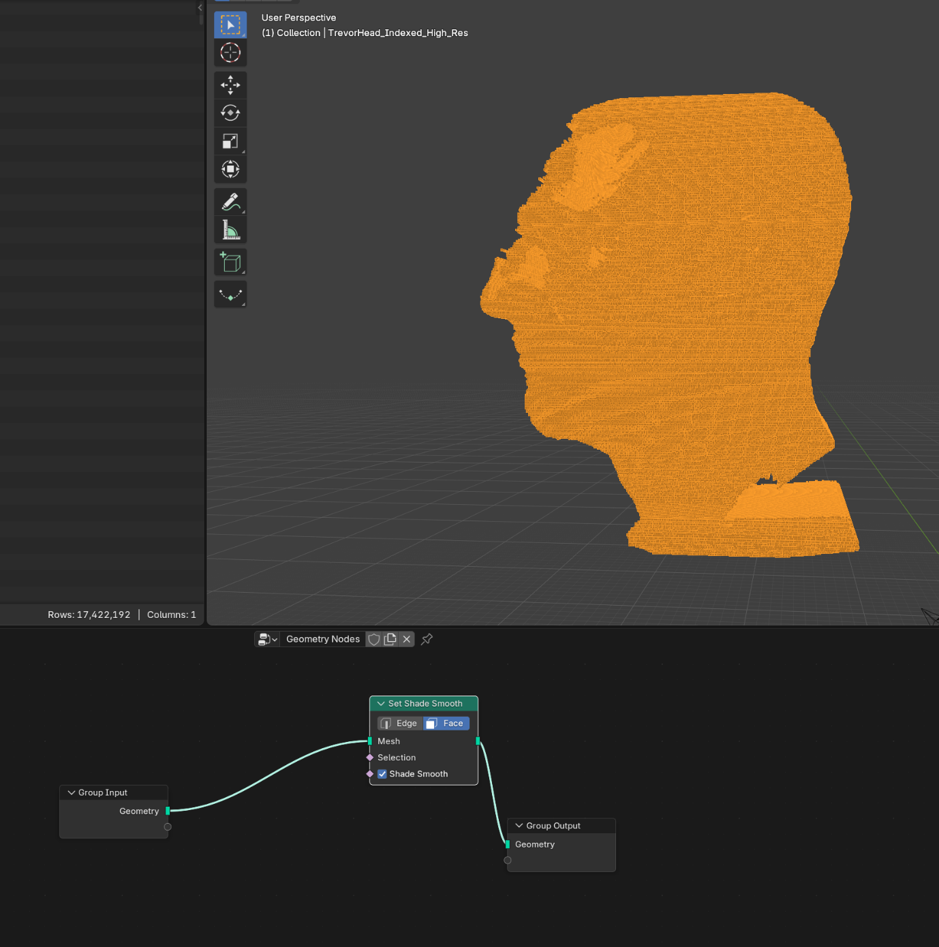
It is now a watertight, production ready .stl or .obj, ready to be sent across to the eight 3D printers and brought into the physical world. I already have the eyes to put into the head but that’s another article.
This is almost printable but rotating it shows why you should not leave a gap of more than 30 degrees between each image. They must overlap otherwise how can the algorithm now how to match each pixel to the next image. Photogrammetry tools do this well, I however am using SQL Server and have not. I could either increase the number of photos required for the image matching or I could use a photogrammetry tool. Guess which I choose 😊
Next time I put my robot eyes into the 3d printed head and begin the cloning process ;)
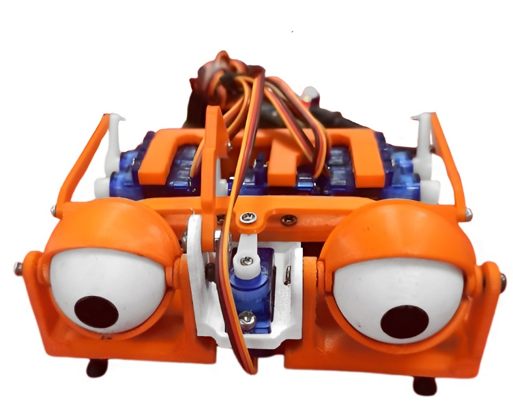 I am sort of joking…
Hope you enjoyed the failure and the article. For some unknown reason it would not let me paste the code into the article so screenshots for now. Code when I have it up on github.
Trevor (@sqlartist)