Can a Database Rave? Making SQL Server Play Music
I’ve made SQL Server draw, play games and pretend to be other computers. This time I wanted to hear it.
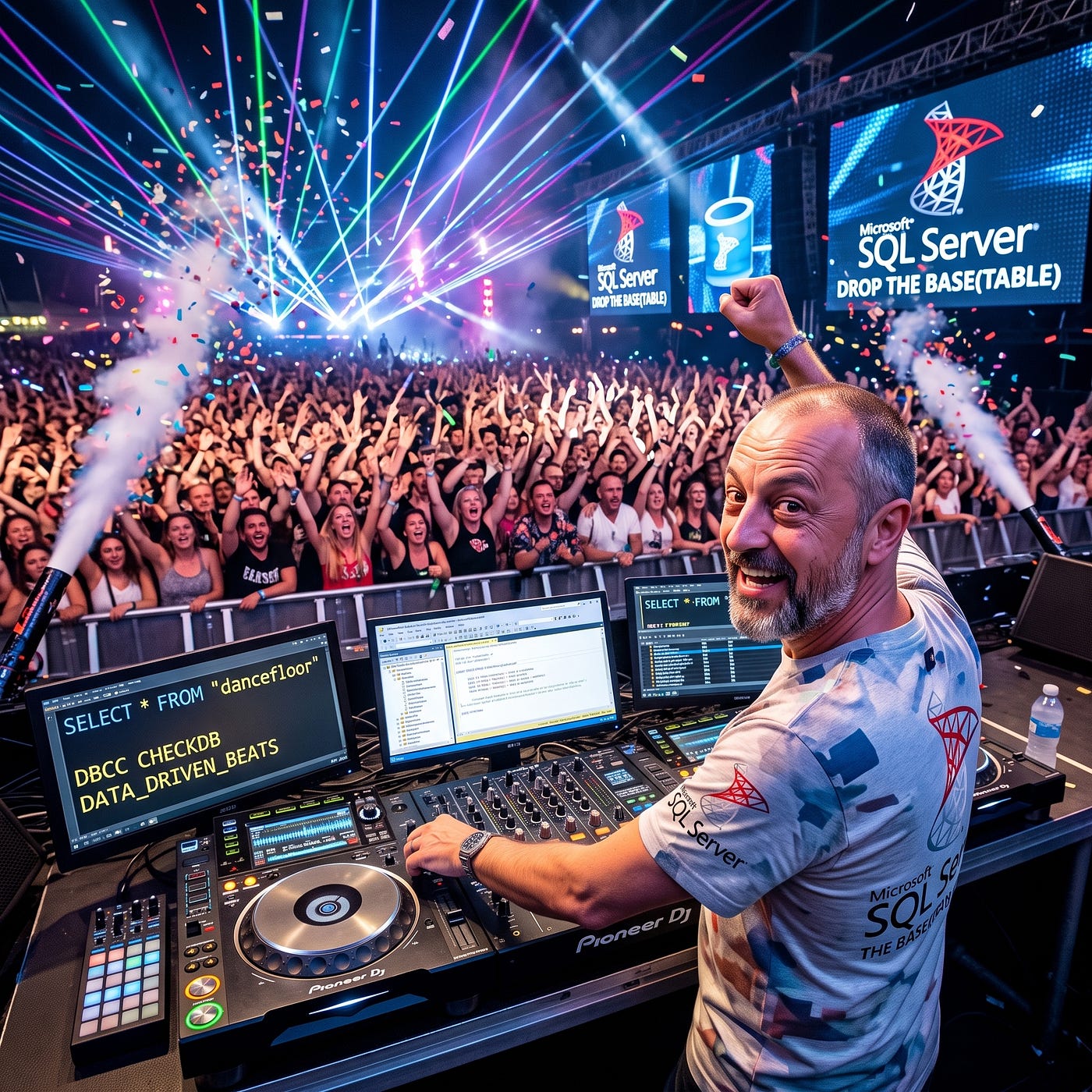 DROP THE BASE(TABLE) — I was so pleased with myself for coming up with this pun. Puns are definitely one level above a dad joke though.
I’ve spent the last few months doing daft things with SQL Server. Doom runs in it. The Amiga Boing ball bounces in it. Elite flew in it. I’ve had it pretending to be other hardware altogether. Every one of those was about pictures, or logic, or both.
What I’d never done was make it *make a noise*.
So that became the question. Not “can I store an MP3 in a `varbinary` column”. Obviously you can, and it’s about as exciting as a filing cabinet. The question was whether SQL Server itself could produce the sound: every sample, every drum hit, every note, worked out with set-based T-SQL, with Python doing nothing more than passing the bytes to the speakers.
I also had a target in mind. The Prodigy, “Smack My Bitch Up”.
I’ll come back to how that went.
I’m not the first to make SQL sing, and it’s only fair to say so. Ramiro Medina built a synthesiser in PostgreSQL in 2022 that played “Twinkle Twinkle Little Star”, and the ClickHouse folks made NoiSQL. But as far as I can find, nobody had made SQL Server play Amiga MODs, or had a database chop up a breakbeat. That’s where I wanted to go.
Rule one: SQL makes the sound, Python is just the speaker
I set myself one rule and stuck to it. Python is allowed to call a stored procedure, take the “varbinary” it gets back and hand it to the sound card. That’s all. No numpy doing the mixing behind my back. No “just this one filter in Python”. If it makes a sound and wasn’t me annoyed at myself for a very stupid bug then SQL Server made it.
The Python side is “pyodbc” plus “sounddevice”. It fetches two seconds of audio at a time on a background thread, so the next chunk is being rendered while the current one plays. If SQL Server can render faster than real time, you get music. If it can’t, you get silence and an embarrassing pause.
No pressure, then.
Why not The Prodigy, then?
I wanted “Smack My Bitch Up” as the finale. I thought about it properly and decided it was the wrong target, for a couple of reasons.
The first is how the record’s made. It’s built almost entirely from samples of other records: the drum break, the vocal, that riff. There’s no neat score underneath it to transcribe. To “play” it in SQL Server I’d really be replaying other people’s recordings.
The second is copyright. Those recordings aren’t mine to reproduce, in SQL or anywhere else.
So I went the route of all those struggling artists out there and start with creating something myself, my first step on the the music ladder. Synthesise sound from nothing. Then play proper tracker music. Then chop up a record I own and remix it.
I have realised that over the course of me writing these articles I have used terms that anyone born later than 2000 would not have a clue what I meant. For that I do not apologise. A record means a Vinyl record, but its also just means a track stored as an .mp3 or as as .wav file. Forget it — here is a graphic.
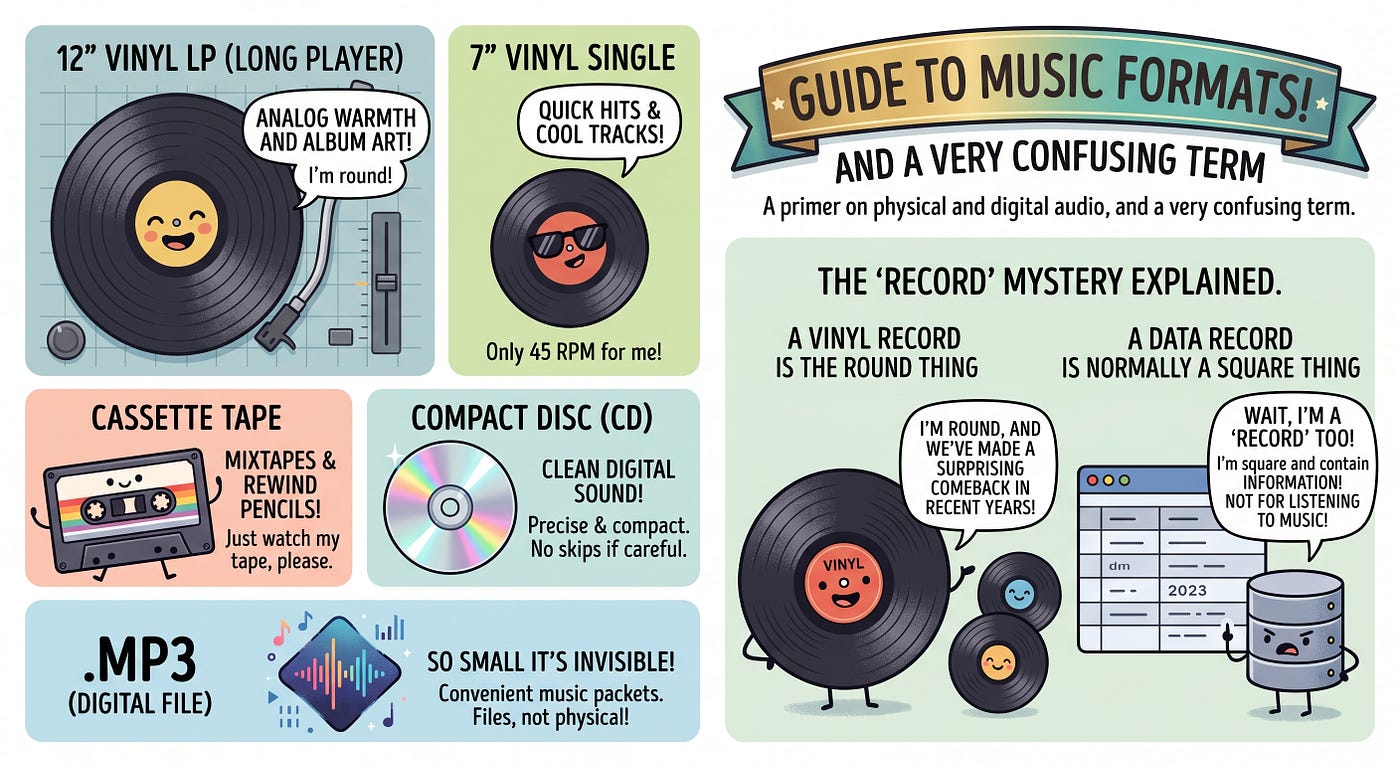 I regard myself as young until I look around and notice no one knows what I talking about half of the time.
Rung one: a synthesiser made of maths
A sound is just a list of numbers. At CD quality there are 44,100 of them every second. So the first job is a sample clock, and SQL Server 2022 onwards gives you one for free:
CROSS APPLY GENERATE_SERIES(GREATEST(ev.StartS, @StartSample), LEAST(ev.EndS, @last)) gEvery note in the song becomes a range of sample numbers. For each of them I work out the time, the phase, and what the oscillator’s doing at that instant. Classic synth waveforms turn out to be one-liners:
CASE ev.Waveform
 WHEN 'sine' THEN SIN(@twoPi * p.ph)
 WHEN 'square' THEN CASE WHEN f.fr < 0.5 THEN 1.0 ELSE -1.0 END
 WHEN 'saw' THEN 2.0 * f.fr - 1.0
 WHEN 'triangle' THEN 4.0 * ABS(f.fr - 0.5) - 1.0
 - kick: a sine whose pitch falls from 150 Hz to 45 Hz
 WHEN 'kick' THEN SIN(@twoPi * (45.0 * tt.t + 105.0 * 0.035 * (1.0 - EXP(-tt.t / 0.035))))
 - hat: noise minus the previous sample's noise
 WHEN 'hat' THEN 0.5 * (nz.w - nz1.w)
END
The hi-hat is my favourite line in the whole project. Real synths make hi-hats by filtering noise, and filters normally need the previous output. That’s recursion, which is exactly what set-based SQL hates. But if your noise is a pure function of the sample number (it’s an integer hash, not `RAND()`), then “noise now minus noise a moment ago” is a perfectly good high-pass filter. And you can compute it for every sample at once. No loop, no state, just a slightly smug `CROSS APPLY`.
The acid bassline does things the same way. Instead of a filter sweep, it’s a `SUM` over up to 40 harmonics, with the high ones fading as each note goes on. That’s the squelch you know from the 90s, done as an aggregate.
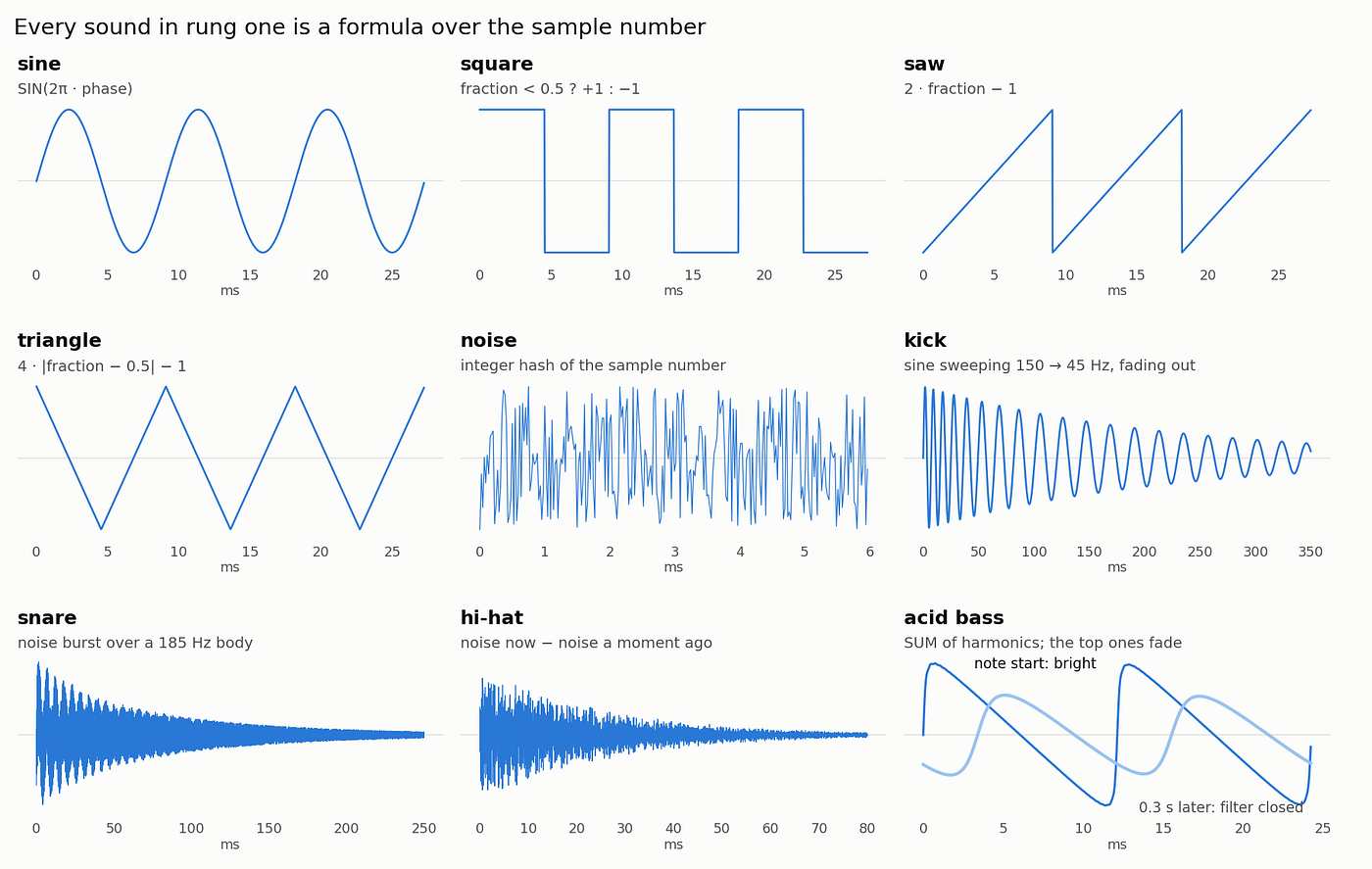 The nine sound shapes in rung one
The shape of every sound in the synth. The top row is the classic oscillators, one formula each. Then there’s noise, and the three drums built from sines, noise and a fade. The acid bass is shown twice: sharp and buzzy as the note starts, then rounded off 0.3 s later as the high harmonics fade.
Mixing is the most SQL thing imaginable:
SELECT n, SUM(v) AS x FROM #voice GROUP BY nEvery drum, every bass note, every stab, all added together per sample. One `GROUP BY`. That’s a mixing desk.
Getting the bytes out
The last hurdle was turning a table of numbers into a WAV file, and I’ll admit this bit gave me a laugh. WAV files are little-endian. SQL Server’s `CAST(int AS binary(4))` is big-endian. So every sample has to be byte-swapped. Then I needed hundreds of thousands of two-byte fragments glued together, in order, quickly.
`STRING_AGG` doesn’t do binary. It does do strings, though:
SELECT @hex = STRING_AGG(
 CAST(CONVERT(varchar(4),
 SUBSTRING(CAST(i AS binary(4)), 4, 1) + SUBSTRING(CAST(i AS binary(4)), 3, 1), 2)
 AS varchar(max)), '')
 WITHIN GROUP (ORDER BY n)
FROM q;
SET @Pcm = CONVERT(varbinary(max), @hex, 2);
Each sample is byte-swapped, turned into four hex characters and stitched together in sample order, and then the whole string is converted back into binary. Stick a 44-byte RIFF header on the front, also built in T-SQL, and you’ve got a WAV file. It’s the most roundabout way of writing bytes I’ve ever used, and it’s quick.
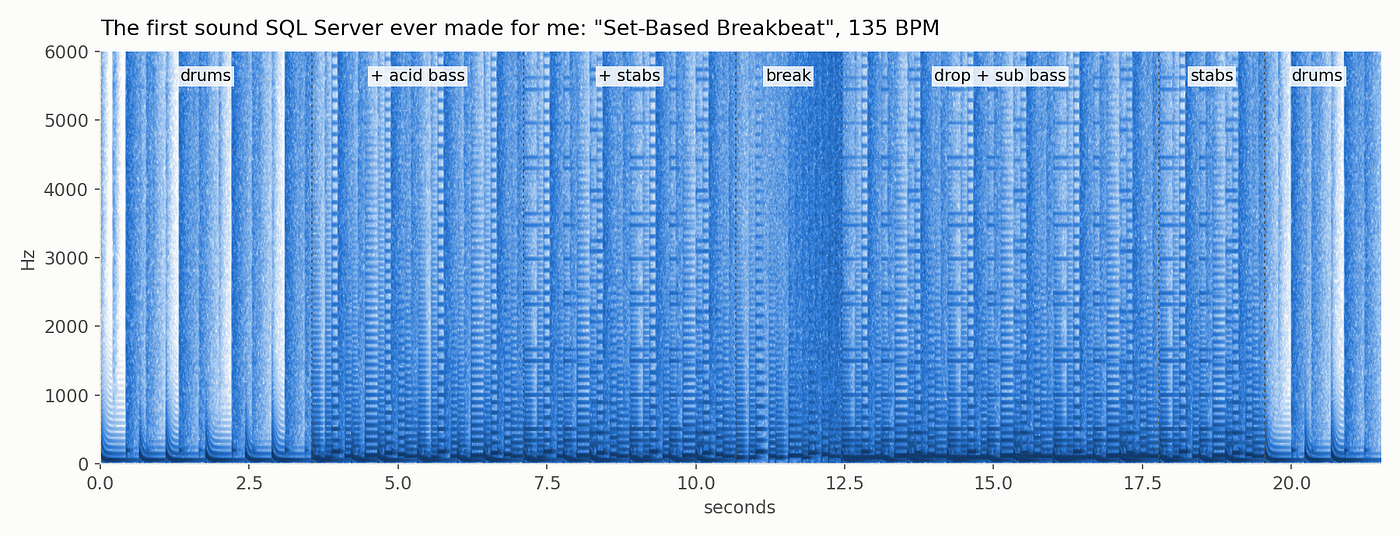 A spectrogram of the first tune SQL Server synthesised
”Set-Based Breakbeat”: the first thing SQL Server ever played for me. You can see the drums come in, then the acid bass, the stabs, the break with its noise riser, and the drop.
The first time it played I just sat there grinning. It’s a database. It went “boom tss”. On my machine it ran at roughly real time, which is a sentence I never expected to write about a stored procedure.
Rung two: a ProTracker player
Synthesis is clever. But what I actually love is tracker music: Amiga MODs, four channels, 8-bit samples, patterns scrolling up the screen. So rung two was a proper ProTracker `.mod` player. And not “Python reads the file and SQL plays it”. SQL Server reads the file.
Here’s a lovely surprise. The Amiga ran on a Motorola 68000, which is big-endian. MOD files are big-endian. SQL Server’s binary-to-int cast is big-endian. Thirty-odd years apart, they agree. Reading the header needs no byte-swapping at all:
CAST(SUBSTRING(@Mod, O + 22, 2) AS int) * 2 AS HdrLen, - sample length, in words
CAST(SUBSTRING(@Mod, O + 25, 1) AS tinyint) AS Vol,
CAST(SUBSTRING(@Mod, O + 26, 2) AS int) * 2 AS LpStart, - loop start
It’s WAV, on the way out, that’s the odd one out.
The one place I gave in and wrote a loop
A MOD isn’t a flat list of notes. Effects change the speed mid-song. Commands jump to another position, or break out of a pattern early. Slides carry on from one row into the next. That’s genuinely sequential. The “conductor” walks the song one row at a time: a few thousand rows for a typical module.
What I refused to do was loop over “ticks” or “channels”. Within a row, every effect has a closed form in the tick number `k`. A volume slide is just “start + k × rate, clamped”. An arpeggio is “which third of the chord are we on, `k % 3`”. So each row’s ticks, for every channel, come out of one `INSERT…SELECT`:
CASE WHEN c.Effect IN (5, 6, 10) - Axy volume slide
 THEN GREATEST(0, LEAST(64, ch.Volume + k.value * CASE WHEN xy.X > 0 THEN xy.X ELSE -xy.Y END))
 …
CASE WHEN c.Effect = 0 AND c.Param > 0–0xy arpeggio
 THEN pb.P / POWER(CAST(2 AS float), (CASE k.value % 3 WHEN 0 THEN 0 WHEN 1 THEN xy.X ELSE xy.Y END) / 12.0E0)
That was the most important decision in the whole project. Be procedural only where the problem genuinely is, and set-based everywhere else.
The mixer, meanwhile, is pure sets. Each tick of each channel says “play sample `s`, starting at position `p`, stepping `d` points per output sample, at volume `v`”. The position of any output sample is then just arithmetic, and a looping sample is just a modulo:
CROSS APPLY (SELECT CAST(FLOOR(tk.PosAtStart + (g.value - tk.StartSample) * tk.Step) AS bigint) AS P) p
CROSS APPLY (SELECT CAST(CASE
 WHEN tk.LoopLength > 2 AND p.P >= tk.LoopStart + tk.LoopLength
 THEN tk.LoopStart + (p.P - tk.LoopStart) % tk.LoopLength
 WHEN p.P < tk.LengthBytes THEN p.P
 END AS int) AS Idx) m
It uses the nearest sample point, with no smoothing between points. That isn’t laziness. It’s exactly what the Amiga’s sound chip did, and it’s where the crunch comes from.
“It takes forever to load”
The first real module I threw at it was `lynx_-_rave_vibes.mod` from The Mod Archive. The demo module had loaded fine. This one sat there. And sat there.
The culprit was the conductor. Thousands of iterations, each writing to permanent tables, each committing, each flushing to the log. On top of that, SQL Server kept recompiling the statements that touched the small temp tables inside the loop. The fix: switch the loop’s working tables to table variables, buffer everything in memory, and write it all out in one go, in one transaction. Same logic, a fraction of the time.
It’s the oldest lesson in the book, and I still had to learn it again. Row-by-row isn’t what kills you. Row-by-row *commits* are.
Rung three: the sampler
Once MODs were playing, the obvious next wish was the records I actually wanted to hear: early-90s hardcore like Soundcorp’s “Dreamfinder” and the Q-Project’s “Champion Sound”. I went hunting for tracker versions and came up empty.
Then it clicked. Those records were *made* on samplers. People chopped breakbeats into slices on an Akai and re-triggered them. So instead of finding a MOD of the record, why not have SQL Server do what the Akai did? Load a WAV of a record you own, find the beat, chop it into slices, and turn the slices into instruments in a tracker kit. Then the MOD engine I’d already built can play it, re-order it and re-mix it.
Finding the beat, with a self-join
Beat detection is a lovely set-based problem:
1. Measure the loudness in 5-millisecond windows.
2. Mark every sudden jump in loudness as an onset: a drum hit, near enough.
3. Auto-correlate the onsets. In other words, join the window table to itself at every possible time offset, and see which offset lines up the most hits.
SELECT g.Lag, SUM(a.Onset * b.Onset) AS R
FROM #lags g
JOIN synth.SamplerEnvelope a ON a.SourceId = @SourceId
JOIN synth.SamplerEnvelope b ON b.SourceId = @SourceId AND b.Win = a.Win + g.Lag
GROUP BY g.Lag;
And it confidently told me my 141.7 BPM test track was 94.5 BPM.
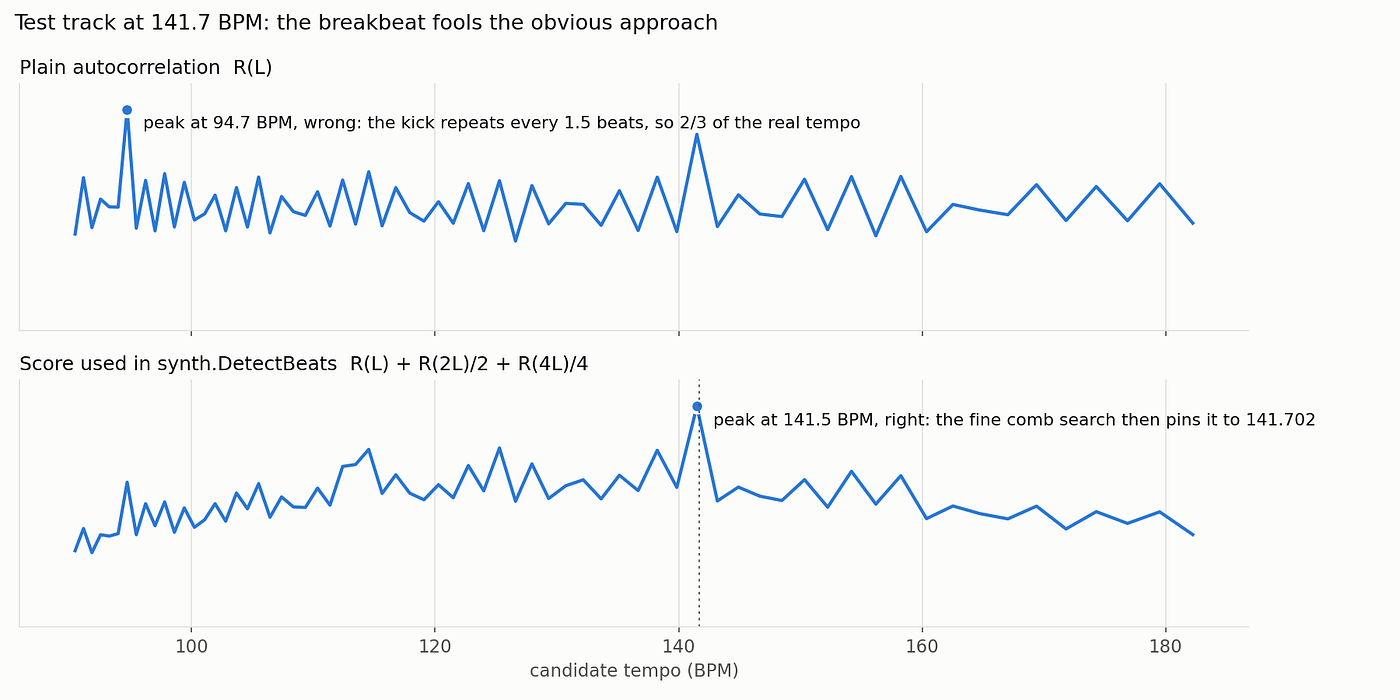 Plain auto-correlation picks two-thirds of the tempo; the harmonic score gets it right
Breakbeats are sneaky. The kick drum in a typical break lands every one-and-a-half beats, so “every 1.5 beats” lines up more hits than “every beat” does. Hence two-thirds of the real tempo. The fix is to ask a better question: does this tempo also line up at two beats and at a whole bar? A true beat does; a phantom one doesn’t. Score each candidate as `R(L) + R(2L)/2 + R(4L)/4`, and 141.7 wins clearly.
Then a final brute-force pass tries 101 tempos just either side of the winner, at every possible starting offset, against every beat in the track. On paper that sounds expensive. In SQL it’s just another join. It pins the tempo to about a hundredth of a percent and tells you where the first beat falls.
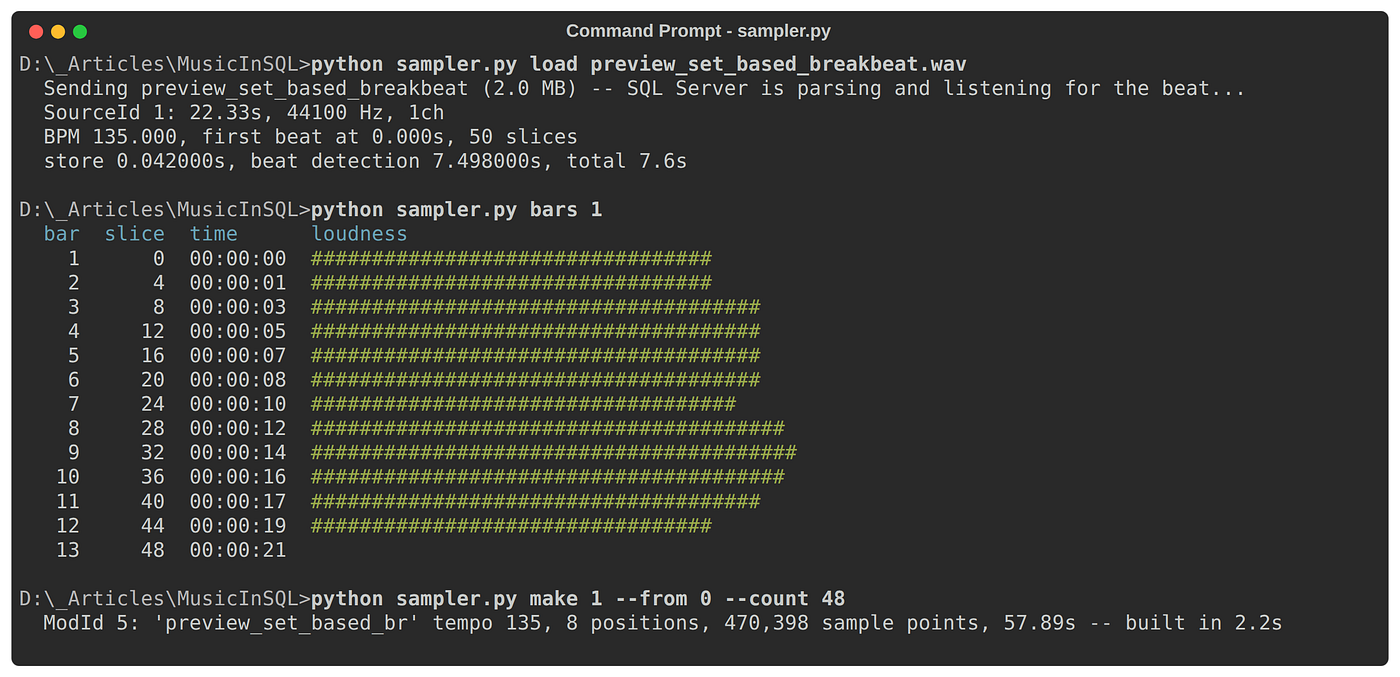 Loading a track: 135.000 BPM detected, first beat at 0.000 s, 50 slices. Then a bar-by-bar loudness map, drawn with `REPLICATE(‘#’, …)`, to choose a section, and a kit built from 48 slices.
The kit comes with a few patterns straight away, so you can hear what it’ll do:
“Straight:” the section played back exactly as it was.
“Stutter:” every fourth beat, the bar’s first slice is re-triggered and chopped short.
“Chipmunk:” every slice an octave up, twice as fast. That’s *the* hardcore vocal trick of 1992.
“Half-time:” every slice an octave down.
After that it’s remix-by-”EXEC”:
EXEC synth.PutNote @ModId = 5, @Pattern = 2, @Row = 12, @Channel = 1,
 @Sample = 5, @Note = 'C-3', @Effect = 0xE, @Param = 0xC2;
EXEC synth.SetOrder 5, '0,1,2,2,3';
EXEC synth.BuildModTimeline 5;
Issues Encountered
Nothing this silly works first time. A few favourites:
“smallint” × “tinyint” = “smallint”. The mixer multiplied each sample point by its volume. That was fine for 8-bit Amiga samples: 127 × 64 fits easily. The sampler’s 16-bit slices go up to about 32,000 × 64, and SQL Server kept the result as a “smallint”. Arithmetic overflow. The fix is a “CAST(… AS float)” in the right place. A thirty-year-old reminder about data type precedence.
“The player that waited forever.” When a background render failed, the error died quietly in its thread, and the player sat there waiting for audio that was never coming. Now it tells you what went wrong and stops.
“The query plan that mixed everything, for every sample.” The first version of the mixer was one big elegant CTE. With a kit of nearly half a million sample points, the optimiser settled on a plan that did far more work than it should. Splitting it into four steps, each landing in an indexed temp table, gave it real row counts to plan with. It’s a bit less elegant and an awful lot faster.
“The silent sampler” My favourite. The kit built fine and the tracker scrolled along beautifully, but there wasn’t a sound. I had diagnostic queries lined up for the slice data, the tick table and the mixer, ready to take the whole thing apart.
SQL Server was making music the whole time. It was going to my headphones, sitting on the desk, and not to the speakers. After all the byte-swapping, overflows and query plans, the last bug was in Windows Sound settings.
A graphic equaliser, because of course
Once it played, I wanted to “see” it play. So the Python window became a dashboard. The tracker scrolls with the current row lit up. There’s a 20-band graphic equaliser with falling bars and peak-hold markers, and left and right level meters that show the Amiga’s hard left-right-right-left panning. Next to it sits a panel of live SQL Server statistics.
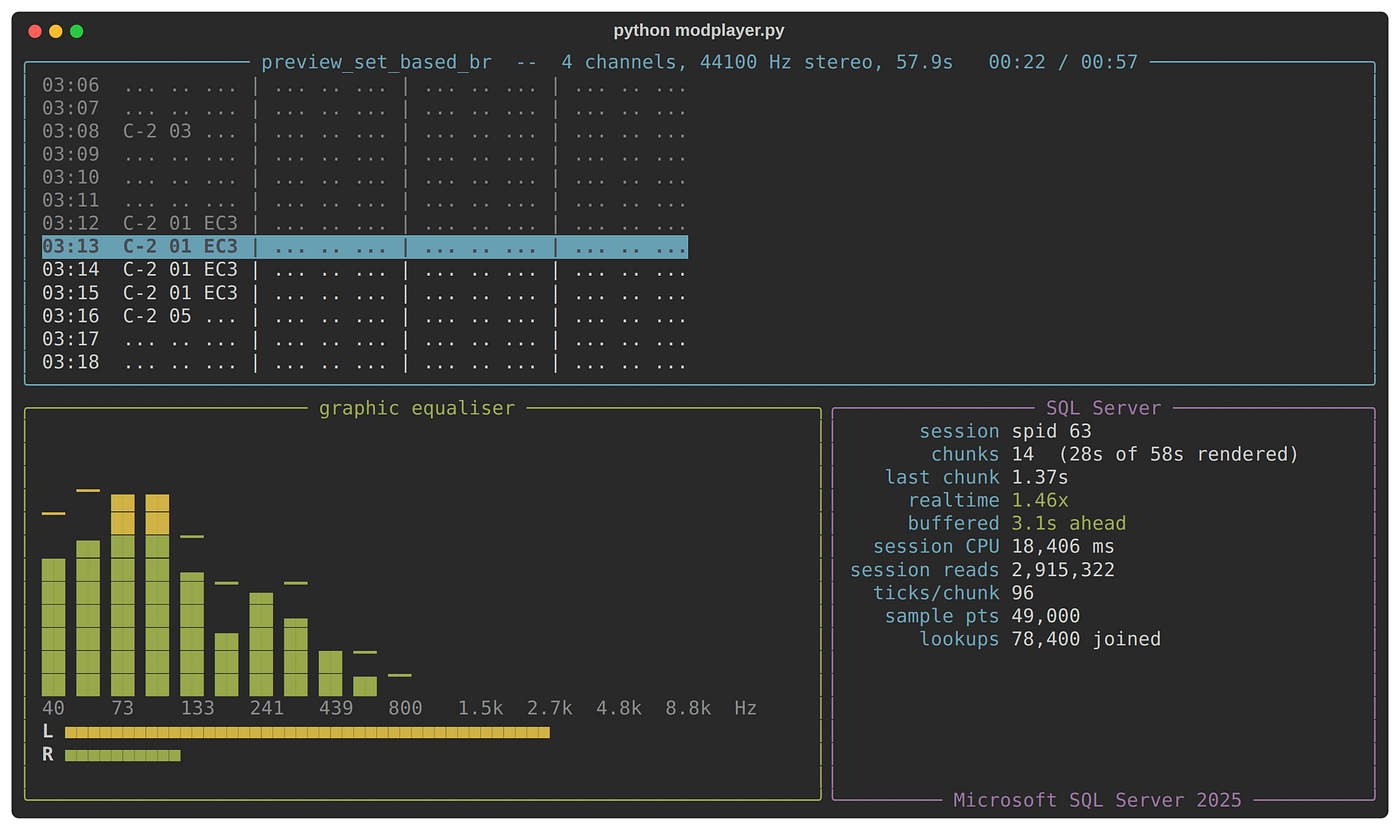 The dashboard playing the sampler kit, mid-stutter
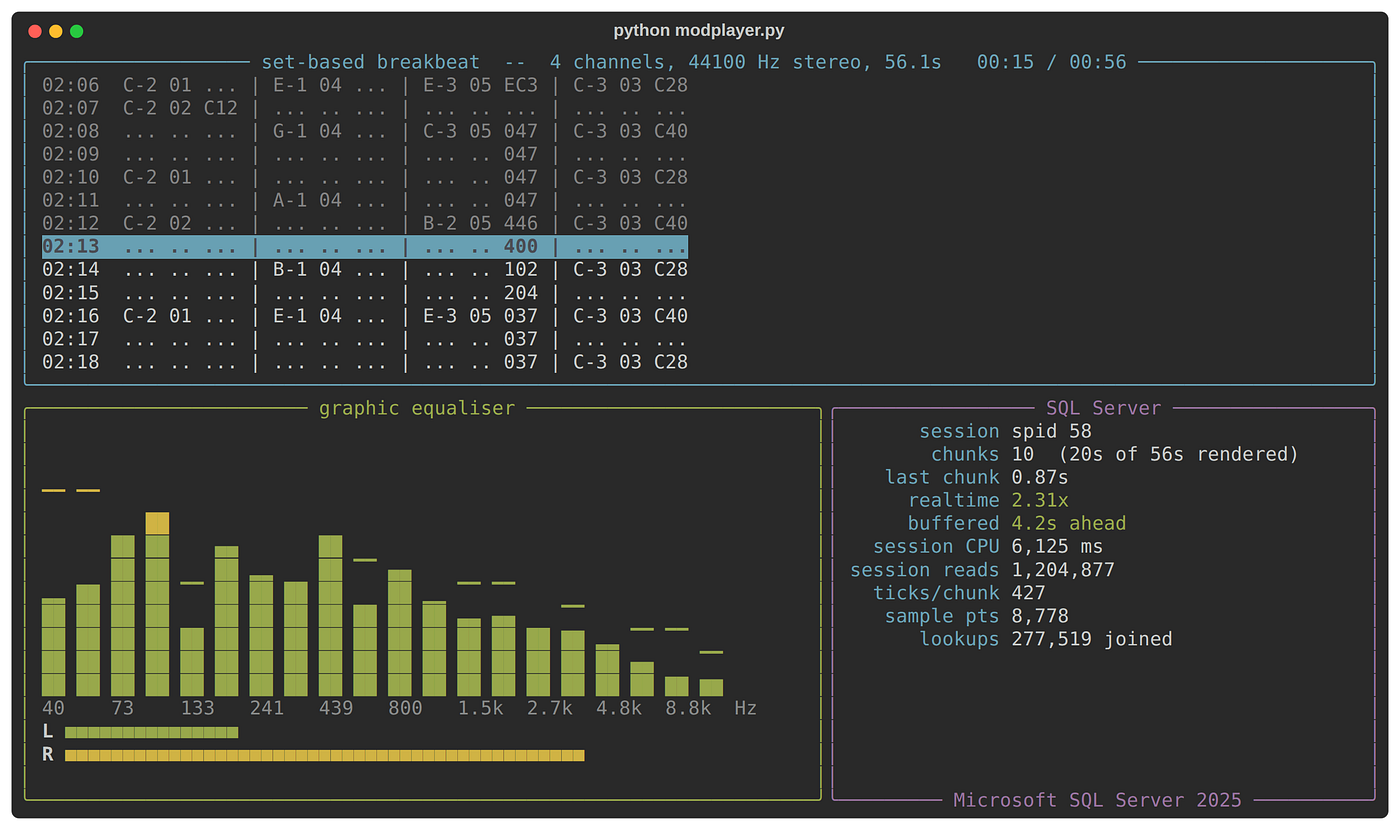 The dashboard playing the demo module
My favourite detail on that panel is that it doesn’t need VIEW SERVER STATE. A session can always read its own row in `sys.dm_exec_sessions`. So after each chunk, the renderer asks SQL Server how much CPU and how many reads it has just spent making the last two seconds of music.
“RenderMod” also reports its own work counts: ticks, sample points, and how many lookups it joined. Watching that realtime figure while the bars bounce is strangely gripping. Every frame is a race between the query and the sound card.
So, can a database rave?
Yes. Badly, loudly and with enormous enthusiasm.
What I’ll take away from it isn’t really the audio. It’s the decisions. Write the whole thing as sets, and give in to a loop only where the music is genuinely sequential. Don’t chase a record that isn’t yours to copy; build the tools to make your own. And when something’s slow, look for the commits before you blame the maths.
The Prodigy will have to wait. But SQL Server can now chop up a breakbeat, pitch the vocal up an octave and play it back through a graphic equaliser. Honestly, the 1992 version of me would have been delighted.
The full code, including the synth, the MOD player, the sampler and the dashboard is now available: https://github.com/sqlartist/SQL-SYNTH
Credits
“Rave Vibes” by Lynx (`lynx_-_rave_vibes.mod`), from “The Mod Archive”, [modarchive.org](https://modarchive.org). Thank you to the Archive and the artist for keeping this music alive.
“Set-Based Breakbeat”, the test module `setbased.mod` and the sampler test audio are all original, made for this project.
Prior art worth a look: Ramiro Medina’s [How I built a music synthesiser using SQL](https://medium.com/@ramiromedina/synthesising-music-using-only-declarative-sql-917bf528ad49) (PostgreSQL) and [NoiSQL](https://github.com/ClickHouse/NoiSQL) (ClickHouse).
If you enjoyed this audio extravaganza then please gives it a huge round of applause and hit the Clap button.